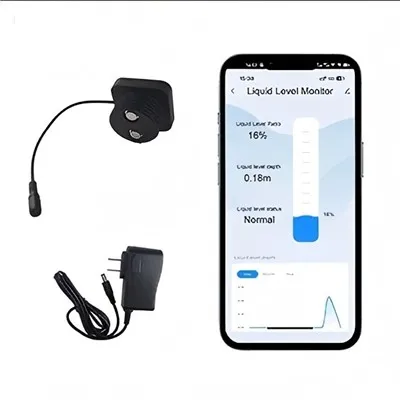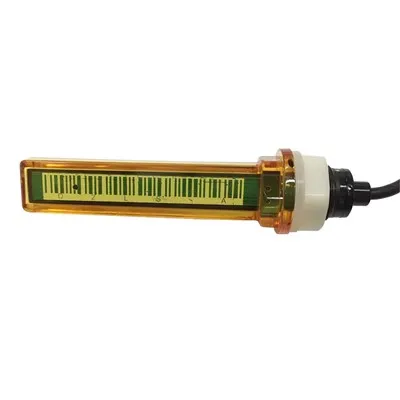
Mopeka Sensor Battery Replacement and Update: The Complete 2026 Guide
In this guide: How to replace the battery in your Mopeka Pro Check and Mopeka Link sensors, what battery type each Mopeka sensor uses, signs your Mopeka battery needs replacing, how to update Mopeka sensor firmware and app software, troubleshooting Mopeka connectivity and accuracy issues related to battery health, battery life expectancy for Mopeka sensors, and answers to the most commonly asked Mopeka battery and update questions.
Mopeka Sensor Battery: What You Need to Know
If you own a Mopeka Pro Check or Mopeka Link propane tank sensor, you've invested in one of the most accurate consumer propane monitoring solutions available. To keep your Mopeka sensor running reliably and delivering those precise 95–98% accuracy readings, periodic battery maintenance is essential. Like any battery-powered device, the Mopeka sensor's battery will eventually need replacing-and knowing how to do it correctly ensures your propane monitoring continues without interruption.
This guide covers everything you need to know about maintaining, updating, and troubleshooting your Mopeka sensor-from the battery replacement process step by step, to firmware updates that improve performance, to diagnosing battery-related problems before they cause a gap in your monitoring data.
The Mopeka product line has evolved significantly since its introduction, and understanding which generation sensor you own matters for battery selection and maintenance procedures. We'll walk through each product, the correct battery type, expected battery life, and the complete replacement process.
Which Mopeka Sensor Do You Have?
Before replacing the battery, confirm which Mopeka sensor model you own. The battery type, replacement procedure, and compatibility vary between models.
Mopeka Product Line Overview
Model Connectivity Battery Type Battery Life Replacement Difficulty
Mopeka Pro Check Bluetooth LE CR2032 coin cell 2–5 years Easy (screw-open cap)
Mopeka Pro Check (Gen 2) Bluetooth LE CR123A lithium 3–6 years Moderate (screw-open body)
Mopeka Link Bluetooth LE to WiFi hub CR2032 coin cell 2–4 years Easy (screw-open cap)
Mopeka Hub WiFi bridge (not a sensor) USB powered N/A N/A (plug-in device)
Mopeka RC1 Bluetooth LE CR2450 coin cell 2–4 years Easy (twist-open cap)
The most common model: The original Mopeka Pro Check with its CR2032 coin cell battery is by far the most widely owned. If you're unsure which model you have, the battery compartment design and the battery itself will tell you.
Battery Types for Mopeka Sensors: What to Buy
Always replace your Mopeka sensor battery with the exact type specified for your model. Using the wrong battery type can damage the sensor, void your warranty, and produce unreliable readings.
Recommended Batteries by Mopeka Model
Mopeka Pro Check (Original) and Mopeka Link: CR2032 Coin Cell
Type: CR2032 lithium coin cell
Voltage: 3.0V
Capacity: ~220 mAh
Brand recommendations: Duracell, Energizer, Panasonic, Sony
Avoid: Cheap no-name batteries-these often have shorter life and may leak
Quantity to buy: Keep 2–3 spares on hand
Cost: $2–6 per battery (buy in packs for better value)
Mopeka Pro Check Gen 2: CR123A Lithium
Type: CR123A 3V lithium photo battery
Voltage: 3.0V
Capacity: ~1,500 mAh
Brand recommendations: Duracell, Energizer, Panasonic CR123A, Streamlight
Note: CR123A batteries are NOT the same as CR123 rechargeable batteries-do not substitute rechargeable batteries
Cost: $8–15 per battery (buy in packs)
Mopeka RC1: CR2450 Coin Cell
Type: CR2450 lithium coin cell
Voltage: 3.0V
Capacity: ~620 mAh
Brand recommendations: Duracell, Energizer, Panasonic CR2450
Cost: $3–8 per battery
When to Replace Your Mopeka Battery
Your Mopeka sensor will give you multiple signals when the battery is running low. Watch for these warning signs:
Signs Your Mopeka Battery Needs Replacing
Warning Sign What It Means
Battery icon shows low/empty in app The sensor has detected low voltage-replace immediately
Readings stop updating Battery voltage dropped below the sensor's operational threshold
Readings become erratic or jump around Battery is dying and voltage is fluctuating
Readings freeze at a single value Battery can't sustain the sensor's operation
Bluetooth connection drops frequently Low battery reduces Bluetooth transmission power
It has been more than 3 years Even without warning signs, proactively replace at 3 years
The sensor was exposed to extreme cold Cold temperatures accelerate battery drain-check sooner
Proactive replacement schedule:
CR2032 (Mopeka Pro Check original, Mopeka Link): Replace every 2–3 years
CR123A (Mopeka Pro Check Gen 2): Replace every 3–5 years
CR2450 (Mopeka RC1): Replace every 2–3 years
Note: Never wait for a battery to fail before replacing it. A dead battery means no monitoring data-and if you rely on your Mopeka sensor for propane level awareness, a dead battery is the same as having no sensor at all.
How to Replace the Mopeka Pro Check Battery: Step by Step
The Mopeka Pro Check battery replacement process takes about 5 minutes. Here's how to do it correctly:
What you'll need:
CR2032 coin cell battery (for original Mopeka Pro Check)
Small Phillips head screwdriver
Soft cloth or towel (to protect the sensor's lens)
Your smartphone with the Mopeka app open
Step 1 - Locate the battery compartment The battery compartment is on the bottom of the Mopeka Pro Check sensor-the end opposite the lens (the sonar transmitter). You'll see a small Phillips head screw in the center of the cap.
Step 2 - Unscrew the battery cap Place the sensor on a soft surface with the lens facing down (to protect the lens from scratches). Use the Phillips head screwdriver to unscrew the battery cap counterclockwise. The cap will lift off once fully unscrewed.
Step 3 - Remove the old battery Take out the old CR2032 battery. Note the orientation-the positive (+) side faces outward toward the cap in the original Mopeka Pro Check design.
Step 4 - Insert the new battery Place the new CR2032 battery with the positive (+) side facing outward (toward the cap). Press it firmly into the battery holder, making sure it's seated flat and making full contact.
Step 5 - Replace the cap Screw the battery cap back on clockwise. Tighten it snugly but do not over-tighten-over-tightening can strip the threads on the plastic cap.
Step 6 - Verify the sensor reconnects Open the Mopeka app on your phone. The sensor should reconnect automatically via Bluetooth within a few seconds. Confirm that:
The battery indicator now shows full
The tank level reading appears
The reading matches what you expected before the replacement
Step 7 - Dispose of the old battery properly CR2032 batteries contain lithium and should be recycled at designated battery recycling drop-off points. Do not throw them in regular trash. Most big-box stores, electronics retailers, and municipal recycling centers accept coin cell batteries.
How to Update Your Mopeka App and Sensor Firmware
Keeping your Mopeka app and sensor firmware updated ensures you have the latest accuracy improvements, bug fixes, and compatibility enhancements.
Updating the Mopeka App
Mopeka uses the Mopeka Check app (available on iOS and Android):
For iOS (iPhone/iPad):
Open the App Store
Tap your profile icon in the top right
Scroll to see pending updates and update history
Find "Mopeka Check" and tap Update if an update is available
Enable automatic updates to stay current automatically
For Android (Google Play):
Open Google Play Store
Tap the profile icon
Select "Manage apps and devices"
Find "Mopeka Check" and tap Update if available
Enable auto-update for Mopeka Check
Why app updates matter: App updates frequently include:
Improved tank calibration algorithms
Better Bluetooth connectivity handling
New tank type profiles
Bug fixes for reading glitches
Enhanced alert configuration options
Mopeka Sensor Firmware Updates
Mopeka sensors receive firmware updates through the app during normal Bluetooth pairing sessions. The process is automatic:
How firmware updates work:
Ensure your Mopeka app is updated to the latest version
Open the Mopeka app and navigate to your sensor settings
The app will automatically check for firmware updates when it connects to the sensor
If an update is available, the app will prompt you to install it
Keep your phone near the sensor during the update (Bluetooth connection must remain stable)
Firmware update typically takes 30–60 seconds
Do not close the app or move out of Bluetooth range during the update
What firmware updates improve:
Accuracy calibration refinements
Improved cold-weather performance
Enhanced Bluetooth range and stability
Reduced battery drain
New tank type compatibility
Bug fixes for intermittent reading issues
Signs you need a firmware update:
Your app consistently prompts for an update
You're experiencing persistent Bluetooth connectivity issues
Readings are erratic despite good tank conditions
You recently updated the app and notice new features that require a sensor firmware update
Troubleshooting Mopeka Battery and Connectivity Issues
Before replacing the battery, verify that the problem isn't something else. Here are the most common Mopeka issues and how to diagnose them:
Issue 1: Mopeka Shows Battery Full But Won't Connect
This is a common scenario-don't assume the battery is good just because the app doesn't show low battery.
Try these steps first:
Remove and reinsert the battery: Sometimes a battery appears fine but isn't making full contact. Remove it, wait 10 seconds, reinsert firmly.
Restart your phone's Bluetooth: Turn Bluetooth off and back on, or toggle airplane mode to reset the Bluetooth radio.
Move closer to the sensor: Stand within 5–10 feet of the tank with your phone.
Force-quit and reopen the Mopeka app: Refresh the Bluetooth connection.
Check for app updates: An outdated app may have Bluetooth pairing bugs.
If none of these work, replace the battery.
Issue 2: Mopeka Reads Erratically After Battery Replacement
Erratic readings after a battery swap usually indicate one of two issues:
Cause 1: Battery inserted incorrectly The CR2032 may be upside down. Remove it and confirm the positive (+) side faces the cap. Reinsert and test.
Cause 2: Low-quality replacement battery Cheap batteries can have inconsistent voltage output, especially under Bluetooth load. Replace with a quality brand (Duracell, Energizer, Panasonic). Quality batteries deliver a stable voltage curve throughout their life; cheap batteries fluctuate.
Cause 3: Sensor needs to re-establish baseline After a battery change, the sensor may need 15–30 minutes of operation to recalibrate its readings. Check the app again after 30 minutes.
Issue 3: Mopeka Battery Drains Quickly
If your Mopeka battery only lasts 6–12 months instead of the expected 2–5 years, investigate these causes:
Cause Solution
Extreme temperature exposure Relocate sensor to a more sheltered position if possible
Cheap or old battery stock Buy fresh, name-brand batteries; check expiration dates
Frequent temperature fluctuations Check readings more often; accept shorter battery life in extreme climates
Bluetooth interference Reduce the number of nearby Bluetooth devices or change sensor location
Firmware issue Update to the latest firmware version
Sensor hardware issue Contact Mopeka support if battery life is consistently under 1 year
Issue 4: Mopeka App Loses Connection to Sensor
Bluetooth connectivity issues can mimic battery problems:
Update the Mopeka app to the latest version
Restart your phone (resets the Bluetooth stack)
Delete and re-pair the sensor in the app:
Go to sensor settings in the app
Unpair/forget the sensor
Re-initiate pairing from the app
Follow the in-app instructions
Check phone compatibility: Some older phones have Bluetooth LE compatibility issues. Mopeka requires Bluetooth LE (Bluetooth 4.0+).
Check for physical obstructions: Metal tank surfaces, thick walls, and distance can all weaken Bluetooth signal. The Mopeka sensor has a range of approximately 30–50 feet (10–15 meters) in ideal conditions.
Issue 5: Readings Are Inaccurate After Battery Replacement
A new battery shouldn't change accuracy-but here are scenarios where it appears to:
Sensor wasn't calibrated after battery change: Wait 24 hours for the sensor to re-establish baseline readings before assessing accuracy
Tank is foaming after a recent fill: Wait 2–4 hours after a propane delivery for foam to settle before trusting readings
Tank is tilted: A battery replacement may have jostled the sensor; verify the sensor hasn't shifted position on the tank
The new battery is low quality: Replace with a name-brand battery
Extending Mopeka Battery Life: Pro Tips
Get the most out of every battery with these maintenance strategies:
Use name-brand batteries: Duracell and Energizer CR2032 cells consistently outperform generic brands in lifespan testing
Store spare batteries properly: Keep them at room temperature, away from moisture and direct heat
Minimize unnecessary Bluetooth polling: If your app supports update frequency settings, reduce polling to every 15–30 minutes instead of continuous for better battery efficiency
Protect the sensor from extreme temperature swings: If possible, shade the sensor from direct summer sun; insulated covers are available for propane tank sensors in extreme climates
Update firmware promptly: Each firmware update may include battery optimization improvements
Replace batteries before they die: Proactively replace every 2 years for CR2032 sensors, even if the app shows battery remaining-this prevents unexpected data gaps
Frequently Asked Questions
Q1: What battery does a Mopeka Pro Check use?
The original Mopeka Pro Check uses a CR2032 3V lithium coin cell battery. It is readily available at most stores that sell batteries-look in the watch battery or specialty battery section. The Gen 2 Mopeka Pro Check uses a CR123A lithium battery instead.
To confirm which model you have: look at the battery compartment cap. A CR2032 battery is a flat, round coin cell approximately 20mm in diameter. A CR123A battery is a small cylindrical battery approximately 34mm long and 17mm in diameter.
Q2: How long does the Mopeka Pro Check battery last?
The Mopeka Pro Check battery typically lasts 2–5 years, depending on:
Battery quality: Name-brand batteries (Duracell, Energizer) last longer than generic brands
Temperature conditions: Extreme heat or cold shortens battery life
Bluetooth polling frequency: More frequent app checks drain the battery faster
Mopeka model: Gen 2 sensors with CR123A batteries last 3–6 years
The CR2032 battery in the original Mopeka Pro Check has a rated capacity of approximately 220 mAh, and the sensor draws a few microamps during standby and higher current during active Bluetooth transmissions. In typical use, this translates to 2–5 years of reliable service.
Q3: Can I use rechargeable batteries in a Mopeka sensor?
No-do not use rechargeable batteries in any Mopeka sensor. The CR2032 coin cell and CR123A battery in Mopeka sensors are both primary (non-rechargeable) lithium batteries. Rechargeable lithium batteries (like LIR2032 or RCR123A) operate at different voltages (3.6–3.7V vs. 3.0V) and have different discharge characteristics that can damage the sensor electronics, produce incorrect readings, or create safety hazards.
Always use fresh, non-rechargeable, name-brand lithium batteries as specified for your Mopeka model.
Q4: Does the Mopeka sensor need to be re-paired after battery replacement?
Usually no-but it depends on your phone's Bluetooth behavior. In most cases, the Mopeka sensor automatically reconnects to your phone within seconds of the new battery being inserted. If your phone doesn't reconnect automatically:
Open the Mopeka Check app
Wait 10–20 seconds for the sensor to appear
If it doesn't appear, toggle Bluetooth off and on
If it still doesn't connect, delete the sensor from the app and re-pair it
Re-pairing is a straightforward process: select "Add Sensor" in the app, follow the on-screen instructions, and the app will guide you through the Bluetooth pairing process.
Q5: How do I know if my Mopeka sensor firmware is up to date?
The Mopeka Check app will notify you when a firmware update is available. During a Bluetooth connection session, the app checks for updates and displays a prompt if one is available. You can also manually check by:
Opening the Mopeka Check app
Navigating to your sensor's settings
Looking for a firmware version number or "Update Available" notification
What firmware version are you on? Firmware is updated frequently by Mopeka. As of 2026, current firmware versions for the Mopeka Pro Check are in the 2.x–3.x range. If you're running firmware below version 2.0, update immediately-older firmware had known accuracy and connectivity issues that have since been resolved.
Q6: My Mopeka sensor fell in water. Is it ruined?
The Mopeka Pro Check is designed to be mounted on the outside of propane tanks, so it handles outdoor exposure-but full submersion is different:
Rain and splashing: The Mopeka Pro Check is weather-resistant and handles rain and weather exposure without issue. This is by design.
Temporary submersion: If the sensor was briefly submerged (e.g., fell in a puddle), remove the battery immediately, let it dry completely for 24–48 hours in a warm, dry location, and reinstall the battery. It may recover.
Extended submersion: If the sensor was submerged for more than a few minutes, it is likely damaged. Replace it.
Propane tank mounting position: The sensor is designed to mount at the bottom of the tank where it's less likely to encounter standing water. Ensure proper mounting position to maximize weather resistance.
Q7: Can I use the Mopeka sensor on a fiberglass propane tank?
Yes-with the correct mounting bracket. The Mopeka Pro Check includes a magnetic mounting system that works on standard steel propane tanks. For fiberglass propane tanks (which are non-magnetic), Mopeka offers optional bolt-on mounting brackets that attach to the tank using stainless steel bolts.
Before purchasing a Mopeka sensor for a fiberglass tank: Confirm that Mopeka offers a compatible mounting solution for your specific tank type. Some older fiberglass tanks may require custom mounting solutions.
Bottom Line: Maintaining Your Mopeka Sensor
Your Mopeka propane sensor is one of the most accurate and reliable tools in your fuel management toolkit-but it requires minimal ongoing maintenance to stay that way.
The annual Mopeka maintenance checklist:
Check the Mopeka app for battery level (do this monthly)
Clean the sensor lens and battery cap threads with a dry cloth (every 6 months)
Update the Mopeka Check app whenever an update is available
Install firmware updates when prompted
Replace CR2032 batteries proactively every 2–3 years
Replace CR123A batteries proactively every 3–5 years
Verify the sensor is securely mounted (no shifting after weather events)
Test the sensor's Bluetooth connection range annually
Verify readings are consistent with your expected tank level
The one-minute monthly habit: Open the Mopeka app once a month and confirm the battery level shows green (or above 50%), the sensor is connected, and the tank level reading makes sense. This 60-second check prevents surprises and ensures your propane monitoring is always working.
A functioning Mopeka sensor is your early warning system for propane run-outs. Keep the battery fresh, the app updated, and the sensor properly mounted-and it will serve you faithfully for years.
Last updated: July 2026
Disclaimer: This guide provides general information about Mopeka sensor battery replacement and software maintenance for educational purposes. Battery specifications, firmware versions, and app features are subject to change by the manufacturer. Always verify current information from Mopeka's official website and the Mopeka Check app. Consult the Mopeka user manual for your specific model. Do not attempt to open or modify the Mopeka sensor body beyond the battery compartment-doing so may damage the sensor and void the warranty.