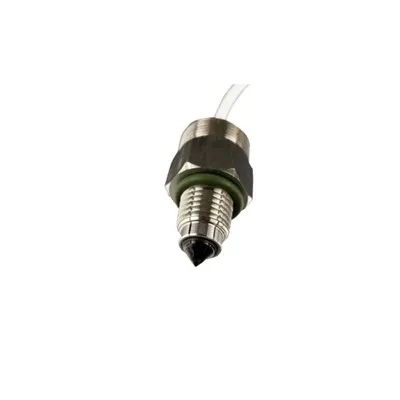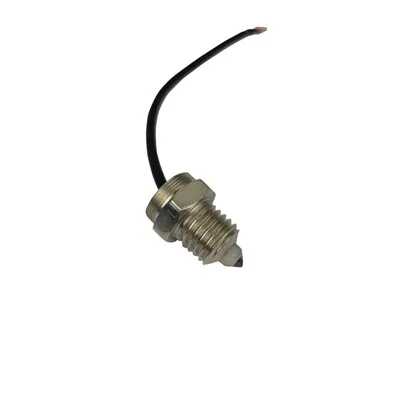
How do I increase the sensitivity of a capacitive sensor
Understanding what "sensitivity" means in a capacitive sensor
The sensitivity of capacitive sensor designs refers to how much the sensor output changes when a target, finger, liquid level, material, or object changes position or presence. In practical terms, higher sensitivity means the sensor can detect smaller capacitance changes, longer distances, thinner materials, or weaker interactions with the sensing electrode.
A capacitive sensor works by measuring changes in an electric field. The sensing electrode forms a capacitance with its surroundings. When a conductive or dielectric object enters that field, the capacitance changes. The sensor electronics then convert that change into a signal, count value, frequency shift, voltage, or digital on/off state.
Increasing capacitive sensor sensitivity is usually not about changing one setting alone. It is a balance between mechanical design, electrode geometry, electronics, software filtering, grounding, shielding, and calibration. If sensitivity is increased too aggressively, the sensor may become unstable, trigger falsely, drift with humidity, or react to nearby noise.
Start with the sensing electrode design
The electrode is often the most important part of the sensor. A weak electrode layout can limit performance even if the electronics are good.
To improve sensitivity, consider these electrode design changes:
Increase the sensing area: A larger electrode usually creates a larger electric field and can detect objects at a greater distance. This is especially useful for touch buttons, proximity sensing, and level detection.
Optimize the electrode shape: Smooth, rounded shapes often produce more predictable fields than narrow or irregular shapes. Sharp corners may concentrate the field and create inconsistent response.
Place the electrode closer to the target: Sensitivity decreases as the target moves farther away. Reducing overlay thickness, air gaps, housing distance, or insulation layers can significantly improve performance.
Use the right electrode material: Copper on a PCB, conductive ink, foil, spring contacts, and metal plates can all work, but they should provide stable contact and consistent geometry.
Avoid unnecessary nearby metal: Metal near the sensor can absorb or distort the electric field, reducing useful signal or creating false triggers.
For many applications, improving the electrode and mechanical placement provides a bigger gain than changing firmware settings.
Reduce the distance and barriers between sensor and target
Capacitive sensing is strongly affected by distance and the materials between the electrode and the object being detected. Thick plastic, glass, air gaps, adhesives, coatings, and uneven surfaces can all reduce sensitivity.
If you need a stronger response:
Use a thinner front panel or overlay where possible.
Choose materials with stable dielectric properties.
Keep adhesive layers consistent and bubble-free.
Eliminate air gaps between the electrode and the cover surface.
Make sure the target passes through the strongest part of the electric field.
For touch sensors, a thin, consistent overlay can improve reliability. For liquid level sensors, the container wall material and thickness can greatly affect detection range. For proximity sensors, the sensor should be positioned so the target approaches the electrode directly rather than from a weak fringe-field region.
Improve grounding and reference stability
A capacitive sensor does not measure in isolation. It measures capacitance relative to a reference, often ground or a system reference plane. Poor grounding can make the sensor noisy, unstable, or less sensitive.
Useful improvements include:
Providing a stable ground reference for the circuit.
Keeping sensor ground away from noisy high-current paths.
Avoiding long, floating, unshielded wires connected to the sensing input.
Using a proper PCB ground strategy recommended for the sensing IC or microcontroller.
Ensuring the user, target, or measured object has a consistent relationship to system ground where appropriate.
In battery-powered devices, capacitive sensing can be more challenging because the system may not have a strong earth reference. In that case, electrode size, driven shields, baseline tracking, and careful calibration become even more important.
Use shielding carefully
Shielding can either improve or reduce sensitivity depending on how it is used. A grounded shield behind the sensor may reduce noise from electronics behind the electrode, but it can also reduce the sensing field and lower detection distance.
A driven shield, sometimes called an active shield or guard, can help by following the sensor signal and reducing parasitic capacitance. This can make more of the measured change come from the target rather than from cables, PCB traces, or nearby structures.
Consider shielding when:
The sensor trace is long.
The sensor is near displays, motors, relays, power supplies, or wireless modules.
The sensor must detect through a front panel while ignoring objects behind it.
Environmental noise causes false readings.
However, shielding should be tested carefully. Too much shielding around the sensing electrode can confine the electric field and reduce the useful detection zone.
Minimize parasitic capacitance
Parasitic capacitance is unwanted capacitance from traces, cables, connectors, nearby ground planes, and other components. High parasitic capacitance can make small target changes harder to detect.
To reduce parasitic capacitance:
Keep sensor traces short.
Route sensing traces away from ground pours unless the design specifically requires shielding.
Avoid running sensor traces parallel to noisy or high-speed signals.
Use low-capacitance cables if a remote electrode is required.
Place the sensing controller close to the electrode when possible.
Avoid unnecessary connectors or long harnesses.
Lower parasitic capacitance often improves signal-to-noise ratio, which is essential when increasing sensitivity.
Adjust hardware gain and measurement settings
Many capacitive sensing ICs and microcontrollers provide configuration options that affect sensitivity. These may include measurement time, charge current, gain, resolution, sampling frequency, threshold level, or conversion count.
Common ways to increase sensitivity include:
Increasing measurement resolution.
Extending acquisition or charge time.
Raising internal gain if available.
Increasing the number of samples averaged.
Lowering the detection threshold.
Choosing a slower but more precise measurement mode.
These changes can improve detection of small capacitance changes, but they may also increase response time or power consumption. Lower thresholds can also create false triggers if noise or drift is not controlled.
Apply filtering without making the sensor feel slow
Software filtering is one of the most effective ways to improve usable sensitivity. A noisy sensor may technically detect a small change, but the output will not be reliable unless the signal is filtered.
Useful filtering approaches include:
Moving average filtering: Smooths short-term noise by averaging recent samples.
Median filtering: Helps reject occasional spikes.
Low-pass filtering: Reduces high-frequency noise while preserving slower changes.
Debounce logic: Prevents rapid on/off chatter around the threshold.
Hysteresis: Uses separate activation and release thresholds to improve stability.
Filtering should match the application. A touch button can tolerate a small delay. A fast object detection system may need quicker response and lighter filtering.
Use reliable sensor calibration methods
Good sensor calibration methods are essential when increasing sensitivity. Calibration helps the system distinguish real target changes from baseline drift, temperature changes, humidity, manufacturing variation, and aging.
Important calibration methods include:
Baseline calibration: Measure the normal no-target capacitance and use it as the reference.
Auto-zero calibration: Periodically adjust the baseline when no object is detected.
Threshold calibration: Set trigger points based on measured background noise and expected signal change.
Environmental calibration: Test the sensor under different humidity, temperature, and material conditions.
Production calibration: Store calibration values for each unit if manufacturing variation is significant.
User-state calibration: For touch products, account for whether the device is handheld, mounted, plugged in, or battery powered.
Avoid calibrating too aggressively. If the system updates the baseline while a target is present, it may "learn out" the object and stop detecting it. Good calibration logic usually updates slowly and only under known stable conditions.
Improve signal-to-noise ratio before lowering thresholds
A common mistake is to increase sensitivity by simply lowering the trigger threshold. This can work in a controlled environment, but it often causes false activations in real use.
Before lowering thresholds, first improve signal quality:
Increase the desired signal through better electrode design.
Reduce parasitic capacitance and environmental noise.
Stabilize grounding and power supply behavior.
Add appropriate filtering.
Calibrate the baseline correctly.
Then lower the threshold only as much as needed.
A sensor with a clean signal can be set to a sensitive threshold while remaining reliable. A noisy sensor with a low threshold will usually behave unpredictably.
Consider environmental effects
Capacitive sensors are affected by their surroundings. Water, humidity, dust, gloves, nearby hands, cables, metal parts, and temperature changes can all affect readings.
If the application operates in a difficult environment, design for it early:
Add moisture-tolerant filtering and threshold logic.
Use mechanical barriers to keep water away from the active sensing area.
Test with gloves, if users may wear them.
Evaluate performance across expected temperatures.
Account for nearby moving cables, panels, or metal brackets.
Avoid placing sensors where condensation can collect.
In some cases, the best way to increase practical sensitivity is to make the sensor less sensitive to everything except the intended target.
Validate changes with real-world testing
After each design or firmware change, test the sensor under realistic conditions. Measure the baseline, noise level, signal change when the target is present, response time, and false-trigger rate.
A useful validation process includes:
Testing multiple units, not just one prototype.
Testing at minimum and maximum expected target distances.
Testing with real housing materials and final assembly methods.
Recording sensor output values rather than relying only on pass/fail behavior.
Checking performance after power-up, after long operation, and after environmental changes.
This helps confirm that higher capacitive sensor sensitivity is actually improving detection instead of only making the system more unstable.
Practical checklist for increasing sensitivity
If you need a quick path forward, work through this sequence:
Increase or optimize the electrode area.
Move the electrode closer to the object being detected.
Reduce overlay thickness and eliminate air gaps.
Shorten sensor traces and reduce parasitic capacitance.
Improve grounding and power supply stability.
Add shielding or driven guarding only where it helps.
Increase measurement resolution or acquisition time.
Use averaging, hysteresis, and debounce logic.
Apply appropriate sensor calibration methods.
Test across real environmental and manufacturing conditions.
Final thoughts
Increasing the sensitivity of a capacitive sensor requires more than turning up a gain setting. The best results come from improving the complete sensing system: electrode geometry, mechanical stack-up, wiring, grounding, electronics, firmware, and calibration.
For stable performance, focus first on increasing the real capacitance change caused by the target and reducing unwanted noise. Once the signal is clean, you can safely adjust thresholds, filtering, and calibration to achieve higher sensitivity without sacrificing reliability.