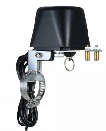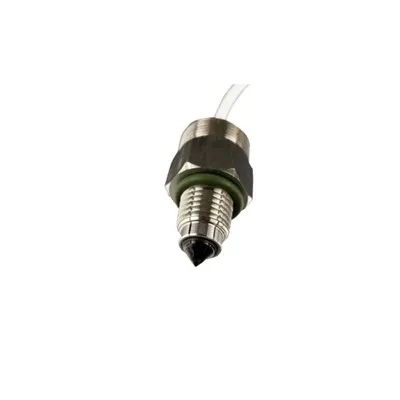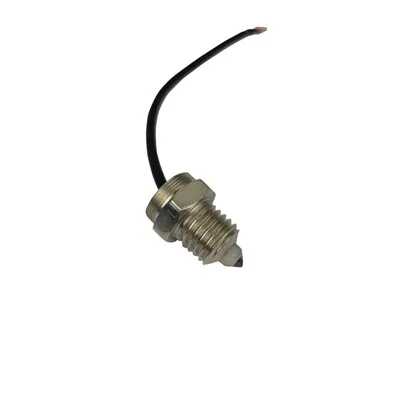
TOYI Tuya Smart 2-Way Wifi Ball Valve
If you've ever worried about a burst hose, a forgotten outdoor spigot, or an irrigation line left running, a smart shutoff is one of those upgrades that feels "extra" until the day it saves you. The TOYI Tuya Smart 2-Way Wifi Ball Valve sits right in that sweet spot: practical home protection plus the convenience of remote control-without rebuilding your plumbing. In this post, I'll walk through what it is, how it works, and how to get it running reliably as part of a true emergency water shutoff system.
What the TOYI Tuya Smart 2-Way Wifi Ball Valve actually is
At its core, this is ball valve automation: a motor/actuator turns a standard ball valve open or closed for you. That makes it a smart ball valve (often searched as the toyi tuya smart ball valve) and, more specifically, a Tuya WiFi ball valve that connects to your home network so you can control it remotely.
Typical uses include:
Main line shutoff (whole-house protection)
Water heater inlet shutoff
Irrigation zone isolation (especially where you need a hard off)
Rental property or vacation home water control
If you're comparing "systems," think of it as a device you can use for remote water valve on off control and scheduling-plus safety automation when paired with sensors.
2-way valve flow direction explained (so you don't install it backwards)
A 2-way ball valve is simply an on/off valve with one inlet and one outlet. In most ball valves, flow can go either direction, but some motorized assemblies or labeled bodies may suggest an orientation. Here's the practical rule for 2-way valve flow direction explained:
If the valve body has an arrow, follow it.
If there's no arrow, it's usually bidirectional-but still orient the actuator where it's protected from drips and easier to service.
Keep clearance for manual override (if your model supports it) and for actuator removal.
Tuya Smart app valve control: what you can do day-to-day
Using Tuya Smart app valve control, you generally get:
One-tap open/close from anywhere
Schedules (e.g., open at 6:00 AM, close at 6:20 AM)
Scenes/automation (close when you leave, close at night, etc.)
Share access with family or property managers
This becomes especially useful for vacation homes: you can shut off water after guests leave without driving over.
Tuya WiFi ball valve setup (fast checklist)
A smooth Tuya WiFi ball valve setup usually comes down to two things: power and Wi‑Fi conditions.
Setup checklist:
Use a strong 2.4 GHz Wi‑Fi network (many valves don't support 5 GHz)
Put your phone on the same 2.4 GHz network during pairing
Place the router/AP within solid range (avoid metal enclosures)
Add the device in Tuya/Smart Life, then name it clearly (e.g., "Main Water Valve")
Once it's in the app, test open/close a few times before you rely on automation.
2-way motorized ball valve wiring: what to know before you power it
People often search 2-way motorized ball valve wiring because they're mixing smart control with existing controllers, leak panels, or relays. The key is to follow the exact voltage and wiring diagram of your specific TOYI unit (AC vs DC models differ), but conceptually you'll see one of these patterns:
Integrated Wi‑Fi actuator: power in → Wi‑Fi module handles open/close
External control actuator: power + control leads (open/close/neutral) triggered by a relay/controller
Practical safety tips:
Use a properly rated power supply and weather protection if near a garage floor, irrigation box, or basement drain
Add drip loops so water can't run down the cable into the actuator
If you're not comfortable around mains voltage, hire an electrician-water + electricity is not the place to learn
Ball valve actuator installation steps (a simple, reliable approach)
Even if you're handy, rushing is how you create leaks. These ball valve actuator installation steps reduce surprises:
Shut off water upstream and relieve pressure by opening a faucet.
Confirm valve size and thread type (BSP/NPT matters) before you tighten anything.
Apply thread sealant (tape or paste as appropriate) and tighten the valve body without stressing nearby pipe.
Mount the actuator so it sits square and doesn't bind during rotation.
Power on and test open/close with no automation enabled yet.
Check for leaks under pressure for 10–15 minutes.
Only then add schedules/scenes.
Automatic leak detection shutoff (how to get "real" protection)
By itself, a smart valve is manual remote control. True safety comes from automatic leak detection shutoff-closing the valve when a leak is detected.
How to build that:
Add Tuya-compatible leak sensors near the water heater, under sinks, behind toilets, and near the washing machine
Create an automation: IF leak sensor = wet → THEN close valve + send notification
Add a second automation to alert you if the valve closes unexpectedly (so you investigate quickly)
This is the practical foundation of a home smart water shutoff valve guide: control + detection + notifications.
Alexa compatible water valve and Google Home smart valve integration
Many Tuya devices can be linked to voice assistants. For hands-free control, look for Alexa compatible water valve support and Google Home smart valve integration through the Tuya/Smart Life skill/integration.
Two important notes:
Voice control is convenient, but for safety you may want to disable "open" by voice (or require a PIN/routine) and keep voice for "close" only.
Name the device clearly so it's not confused with a gas shutoff or another critical valve.
WiFi valve not connecting fix (common causes and quick wins)
If you hit pairing issues, this WiFi valve not connecting fix list covers most real-world problems:
Confirm 2.4 GHz Wi‑Fi (separate SSID if needed)
Turn off VPNs and "private relay" features on your phone during pairing
Move the valve closer to the router for initial setup
Reboot router and power-cycle the valve
If your router uses WPA3-only, enable WPA2/WPA2‑WPA3 mixed mode
Avoid "smart connect" band steering during setup if it keeps flipping you to 5 GHz
Tuya vs Zigbee water valve (which is better in 2026?)
Choosing between Wi‑Fi and Zigbee is less about "better" and more about your home's architecture. In Tuya vs Zigbee water valve comparisons:
Tuya Wi‑Fi: simplest if you don't want a hub; good for single-device installs
Zigbee: often more reliable for dense smart homes; can keep local control via hubs and handle weak Wi‑Fi areas better
If you already run a Zigbee network for sensors, a Zigbee valve can be a strong choice. If you want quick deployment with minimal gear, a Tuya Wi‑Fi valve is straightforward.
Smart irrigation valve controller alternative (when this valve makes sense outdoors)
This type of valve can be a smart irrigation valve controller alternative when you need a hard shutoff on a supply line (for example, isolating an entire irrigation manifold). It's not a replacement for multi-zone irrigation controllers, but it's excellent for:
Master shutoff control
Seasonal shutoff automation (winterization reminders)
Emergency close if you detect continuous flow or a leak sensor trips in a valve box
Is it the best smart water valve 2026?
"Best" depends on your priorities, but the TOYI Tuya Smart 2-Way Wifi Ball Valve is compelling if you want app-based shutoff, scheduling, and easy Tuya ecosystem automation without adding a hub. The real win comes when you treat it as part of a system: solid install, good Wi‑Fi, and leak sensors for automated safety.
Takeaway
A smart valve isn't just a gadget-it's a practical way to limit water damage and simplify daily routines. Install the TOYI Tuya Smart 2-Way Wifi Ball Valve carefully, test it repeatedly, and pair it with leak sensors so it becomes a true "close-on-problem" safeguard-not just a remote switch.
Estimated word count (body only): ~990 words.