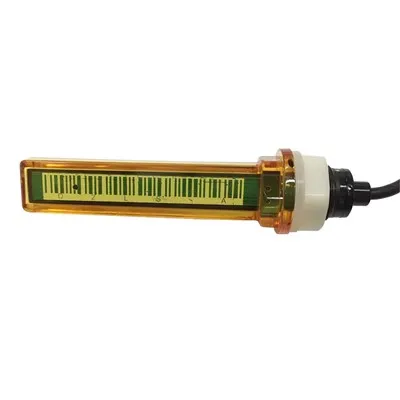
How to Use a Magnetic Gas Level Indicator: Complete Installation, Setup, and Usage Guide
In this guide: How to use a magnetic gas level indicator on your propane or LPG gas cylinder-from choosing the right indicator for your tank, to installing the magnetic mount, configuring the app, reading the display, maintaining the sensor, and troubleshooting common issues. Covers Mopeka magnetic gas level indicators and other popular magnetic-mount ultrasonic gas monitoring sensors.
What Is a Magnetic Gas Level Indicator?
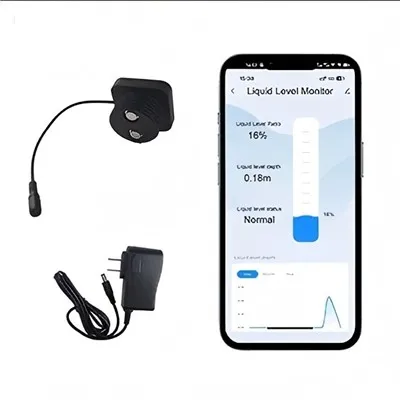
A magnetic gas level indicator is an electronic gas cylinder monitoring sensor that uses a powerful permanent magnet to attach directly to the outside of a steel gas cylinder-without bolts, brackets, or any modification to the tank itself. The magnet holds the sensor firmly in contact with the tank wall, allowing the sensor's ultrasonic transducer to send pulses through the steel and measure the liquid propane level inside.
The magnetic mount is a defining feature that separates modern consumer gas level sensors from older bolt-on or tank-penetrating alternatives. It makes installation fast (10–15 minutes), reversible (move it between tanks), and accessible to anyone without tools or professional help. Most consumer-grade ultrasonic gas level indicators-including the Mopeka Pro Check, Mopeka RC1, and Generac 7009 LTE-feature magnetic mounting for steel tanks.
This guide covers everything you need to know about using a magnetic gas level indicator: selecting the right one for your cylinder, installing it correctly, setting up the app and alerts, interpreting the readings, and maintaining the sensor for years of reliable service.
Understanding Magnetic Gas Level Indicators: Technology Overview
A magnetic gas level indicator is not just a magnet-it is a complete electronic measurement system with four core components:
| Component | Function |
|---|---|
| Permanent magnet | Secures the sensor to the steel cylinder exterior; must be strong enough to resist vibration and temperature changes |
| Ultrasonic transducer | Emits and receives ultrasonic pulses through the tank wall to measure liquid surface distance |
| Temperature sensor | Continuously measures tank wall temperature to compensate for speed-of-sound changes |
| Wireless module | Bluetooth LE, WiFi, or cellular chip that transmits readings to your phone or hub |
The magnet is the mechanical interface-but the measurement is ultrasonic. The magnet simply holds the sensor in the right position against the tank. Everything else happens inside the sensor: ultrasonic pulses travel through the steel wall, bounce off the liquid propane surface inside, return to the transducer, and the sensor converts travel time to a fill percentage.
Why Magnetic Mounting Works on Steel Tanks
Steel cylinders are ferromagnetic-they are attracted to permanent magnets. This is not an accident. Steel's magnetic properties allow neodymium magnets (the strongest permanent magnets available) to create a bond strong enough to:
Hold the sensor firmly against the curved tank surface
Resist vibration from transportation, wind, and cylinder movement
Maintain contact through temperature extremes that cause the steel to expand and contract
Survive years of outdoor exposure without loosening
Aluminum and composite (fiberglass) cylinders are not ferromagnetic-standard magnets slide off them. For non-steel cylinders, a bolt-on bracket is required instead of magnetic mounting. Always verify that your cylinder is made of steel before purchasing a magnetic-mount gas level indicator.
Key Features to Look for in a Magnetic Gas Level Indicator
| Feature | Why It Matters | Recommended Specification |
|---|---|---|
| Magnet strength | Determines secure attachment; weaker magnets loosen over time | Neodymium N52 or equivalent |
| Ultrasonic frequency | Lower frequencies penetrate tank walls better; higher frequencies are more precise | 40 kHz is the industry standard |
| Temperature compensation | Critical for accuracy across seasons | Onboard thermistor, real-time adjustment |
| Water/dust resistance | Outdoors exposure; rain, snow, mud | IP67 or higher |
| Battery type and life | Determines maintenance frequency | CR2032 (1–5 years) or CR123A (3–6 years) |
| Connectivity | How you access readings | Bluetooth LE for local; cellular for anywhere |
| Companion app quality | Your daily interface with the sensor | Available on iOS and Android |
Choosing the Right Magnetic Gas Level Indicator for Your Cylinder
Not all magnetic gas level indicators are the same. Choosing the right one depends on your cylinder type, tank orientation, monitoring needs, and connectivity requirements.
Steel Cylinder Compatibility Check
Before purchasing any magnetic gas level indicator, confirm your cylinder is steel:
| Cylinder Type | Material | Magnetic Mount | Notes |
|---|---|---|---|
| DOT 20 lb propane cylinder (BBQ) | Steel | ✅ Yes | Most common; magnetic mount works perfectly |
| DOT 30 lb propane cylinder | Steel | ✅ Yes | Standard magnetic mount compatible |
| 100 lb propane cylinder | Steel | ✅ Yes | Larger magnet surface; secure attachment |
| 250 gallon ASME home tank | Steel | ✅ Yes | Flat surface areas ideal for magnetic mount |
| 500 gallon ASME home tank | Steel | ✅ Yes | Use multiple sensors for large tanks |
| Aluminum propane cylinder | Aluminum | ❌ No | Use bolt-on bracket instead |
| Composite/fiberglass cylinder | Fiberglass | ❌ No | Use bolt-on bracket instead |
| RV horizontal ASME tank | Steel | ✅ Yes | Requires horizontal-calibrated sensor |
| Portable camping cylinder | Varies | Check label | If steel, magnetic mount works |
If your cylinder is aluminum or composite, do not attempt to use a magnetic sensor. The magnet will not hold. Purchase a bolt-on bracket sensor instead-ultrasonic sensors work on any tank material, but the mounting method must match the surface.
Choosing Between Bluetooth and Cellular Connectivity
| Connectivity Type | How It Works | Range | Best For |
|---|---|---|---|
| Bluetooth LE | Direct phone-to-sensor connection | ~30 feet | Tanks near your home or RV |
| Bluetooth + WiFi bridge | Sensor → bridge → WiFi → cloud → phone | Anywhere with WiFi | Home tanks; requires WiFi nearby |
| 4G LTE cellular | Sensor → cellular network → cloud → phone | Anywhere with cell coverage | RVs; remote tanks; no WiFi needed |
For most home and RV users: Bluetooth sensors (Mopeka Pro Check) work well for tanks within ~30 feet of your phone. For remote monitoring, add a Mopeka Link WiFi bridge or choose the Generac 7009 LTE cellular sensor.
Step-by-Step Installation Guide
Installing a magnetic gas level indicator on a steel gas cylinder takes 10–15 minutes and requires no tools. Here is the complete procedure:
Before You Begin: Gather What You Need
| Item | Purpose |
|---|---|
| Magnetic gas level indicator | The sensor itself |
| Smartphone (iOS or Android) | For the companion app |
| Alcohol wipe or degreaser | Clean the tank surface for secure magnetic contact |
| Painter's tape | Optional: mark position before mounting |
| Spirit level | Optional: confirm tank is level before marking |
| The cylinder's specs | Water capacity and type (written on the collar) |
Step 1: Download and Set Up the Companion App
Every magnetic gas level indicator requires a companion smartphone app. Download the correct app before you begin the physical installation:
| Sensor | App Name |
|---|---|
| Mopeka Pro Check / RC1 / Gen 2 | Mopeka Check (free, iOS and Android) |
| Generac 7009 LTE | Mobile Link (free, iOS and Android) |
| Tank Utility | Tank Utility (free, iOS and Android) |
| DIY ESPHome sensor | Home Assistant or eWeLink (varies) |
Create an account if required, grant Bluetooth permissions, and keep the app open during installation.
Step 2: Clean the Tank Surface
The magnet must make direct, clean contact with the steel tank surface. Any dirt, grease, rust, or paint irregularity reduces magnetic grip.
Identify the 6 o'clock position: the bottom center of a vertical tank, or the bottom center of the long axis on a horizontal tank
Wipe the area thoroughly with an alcohol wipe or degreaser
Dry completely with a clean cloth
Do not apply any lubricant or coating between the magnet and the steel
Step 3: Determine Tank Orientation in the App
The sensor must be configured for your tank's geometry. Open the app and select:
Vertical tank: Cylinder standing upright (most common for home and BBQ tanks)
Horizontal tank: Cylinder lying on its side (common on RVs and some commercial tanks)
Using the wrong orientation setting produces incorrect readings. Some apps auto-detect orientation; others require manual selection.
Step 4: Enter Tank Specifications
Enter the tank's water capacity from the collar stamp. The collar (the protective ring at the top of the cylinder) shows:
WC: Water capacity in pounds (e.g., WC: 47.6 lbs means 5.71 gallons)
TW: Tare weight (empty cylinder weight)
Propane capacity: Approximately 80–85% of water capacity
The water capacity is the reference number the sensor uses to calculate fill percentage. If you enter the wrong number, every reading will be off by the same proportion.
Step 5: Mount the Magnetic Sensor
This is the core installation step:
Hold the sensor with the magnet facing the tank
Position the sensor at the 6 o'clock mark (the lowest physical point of the tank)
Press firmly and evenly to seat the magnet flat against the steel
Confirm the sensor feels securely attached by gently tugging on it
For vertical tanks: position at the very bottom center
For horizontal tanks: position at the bottom center of the long axis, aligned with the cylinder's center line
Step 6: Pair the Sensor With the App
With the sensor mounted, open the companion app
Put the app into Bluetooth pairing mode (usually "Add Sensor" or "Pair Device")
The app will scan for nearby sensors-select your sensor from the list
Confirm the pairing when prompted
The app will display the initial fill level reading
Initial reading time: Allow 5–10 minutes for the sensor to stabilize after first pairing. The sensor takes several readings and averages them before displaying the first stable result.
Setting Up Alerts and Notifications
One of the most valuable features of a magnetic gas level indicator is automated low-fuel alerts. Configure these immediately after installation.
Recommended Alert Thresholds
| Alert Level | When It Fires | Why |
|---|---|---|
| 30% | Early warning | 1–2 weeks of lead time for scheduling delivery |
| 20% | Standard low-fuel alert | Active reminder to order a refill |
| 15% | Critical alert | Urgent: schedule refill immediately |
| 10% | Emergency alert | You are running out; arrange delivery now |
Set at least two alert levels (20% and 15%) to create both a warning and an urgent notification. Most apps allow you to set multiple thresholds with different notification sounds.
Configuring Push Notifications
In the companion app, go to Settings → Notifications (or Alerts)
Enable push notifications for low-fuel alerts
Set the notification sound to something distinct
Confirm notifications are enabled at the phone system level (app settings + phone settings)
Test the alert by temporarily setting a 90% alert and verifying you receive it
Reading and Interpreting the Display
A magnetic gas level indicator displays information differently depending on the app-but all apps show the same core data.
What the App Tells You
| Display Element | What It Shows | How to Use It |
|---|---|---|
| Fill percentage | Estimated tank fill (0–100%) | Primary monitoring metric |
| Gallons remaining | Calculated gallons based on tank capacity | For delivery scheduling |
| Last updated timestamp | When the sensor last took a reading | Verify sensor is active |
| Battery level | Remaining battery life | Schedule replacement proactively |
| Temperature | Current tank wall temperature | Context for cold-weather readings |
| Historical graph | Level over time (days/weeks) | Track consumption rate |
Understanding Fill Percentage vs. Actual Capacity
The fill percentage shows what portion of the tank's water capacity is occupied by liquid propane. At 100%, the tank is at its legal maximum fill (80–85% of physical capacity). This is normal-all propane tanks are filled to approximately 80–85% by regulation.
What percentage levels actually mean in gallons (for a standard 20 lb BBQ cylinder with 5.71 gallon water capacity):
| Fill Percentage | Gallons Remaining | Practical Meaning |
|---|---|---|
| 80–100% | 4.6–5.7 gallons | Full tank |
| 60% | 3.4 gallons | Comfortable; still plenty |
| 40% | 2.3 gallons | Getting low; plan to refill |
| 30% | 1.7 gallons | Order refill now |
| 20% | 1.1 gallons | Low; limited use remaining |
| 10% | 0.6 gallons | Critical; refill immediately |
When Readings May Be Unusual
| Situation | Expected Behavior | What to Do |
|---|---|---|
| Just filled the tank | Level reads 2–5% lower than expected for 2–4 hours | Wait; foam in the propane needs to settle |
| Cold morning reading | Level slightly lower than yesterday | Normal temperature effect; check again at warmer time |
| Reading jumped significantly | Likely a temperature spike | Normal; readings stabilize within an hour |
| Reading shows 0% or 100% | Sensor may not be paired or calibrated correctly | Re-enter tank capacity in app settings |
| Sensor offline | No data received | Check battery; confirm Bluetooth is on |
Maintaining Your Magnetic Gas Level Indicator
Magnetic gas level indicators are low-maintenance devices, but they do require occasional attention. Here is a maintenance schedule to keep your sensor performing reliably.
Battery Replacement Schedule
| Battery Type | Typical Lifespan | Replacement Cost | When to Replace |
|---|---|---|---|
| CR2032 coin cell | 2–5 years | $1–3 | When app shows <20% battery |
| CR123A lithium | 3–6 years | $8–15 | When app shows <20% battery |
| AA alkaline (cellular) | 1–3 years | $5–10 | Set calendar reminder |
Proactive replacement tip: Replace batteries every 2 years regardless of reported level. Sensors can report normal battery levels and then die within days in cold weather.
Cleaning and Inspection
Every 3–6 months:
Remove the sensor from the tank (lift from one edge, not by pulling the cord if attached)
Inspect the magnet face for debris, rust, or damage
Clean the magnet with a dry cloth-do not use solvents
Inspect the tank surface under the magnet for rust or corrosion
Reattach the sensor firmly
Verify the app is still receiving readings
Firmware Updates
Check for firmware updates every 6–12 months. New firmware can improve accuracy, fix bugs, and extend battery life. Updates are typically delivered through the companion app.
Troubleshooting Common Issues
| Problem | Likely Cause | Solution |
|---|---|---|
| Sensor not pairing | Bluetooth not enabled or app permissions missing | Enable Bluetooth; grant location and Bluetooth permissions to the app |
| Reading shows 0% | Sensor not mounted correctly; tank is truly empty | Check magnet contact; verify tank has fuel |
| Reading stuck at 100% | Incorrect tank capacity entered in app | Re-enter correct water capacity from tank collar |
| Reading fluctuating wildly | Sensor recently mounted; foam in tank | Wait 2–4 hours after filling or installation |
| Sensor fell off the tank | Dirty tank surface; weak magnet | Clean tank surface; check magnet strength; reattach firmly |
| App not receiving data | Out of Bluetooth range; phone Bluetooth is off | Move closer to tank; confirm phone Bluetooth is on |
| Low battery alert but sensor still works | Battery is draining faster than normal | Replace battery at next convenient opportunity |
| Temperature reading seems wrong | Sensor exposed to direct sunlight | Relocate sensor to shaded area; sunlight heats the housing |
Frequently Asked Questions
Q1: Do magnetic gas level indicators work on all steel gas cylinders?
Yes-magnetic gas level indicators work on all steel cylinders regardless of size, from small 1 lb camping cylinders to 1,000 gallon above-ground home tanks. The key requirement is that the cylinder is made of ferromagnetic steel (standard propane cylinders are). The sensor mounts at the 6 o'clock position on any steel cylinder where the magnet can achieve full contact with the tank surface.
Q2: How accurate is a magnetic gas level indicator?
High-quality magnetic ultrasonic gas level indicators (Mopeka Pro Check, Generac 7009 LTE) deliver 90–98% accuracy in normal operating conditions. Accuracy is highest between 20% and 80% fill. Immediately after a fill, accuracy drops slightly (90–94%) due to propane foam. In extreme cold (below 0°F), ultrasonic sensors with temperature compensation maintain their accuracy while pressure gauges become useless.
Q3: Can I move the magnetic sensor between different cylinders?
Yes-one of the key advantages of magnetic mounting is transferability. A single Mopeka Pro Check can be moved between any compatible steel cylinder: your home tank, your RV tank, your BBQ cylinder, and your backup tank. Simply unmount, move to the new cylinder, confirm the tank capacity in the app (if different), and the sensor adapts to the new cylinder.
Q4: Will the magnet damage my steel gas cylinder?
No-a neodymium magnet does not damage properly maintained steel tank surfaces. The magnet creates a magnetic field that does not alter the steel's structure or integrity. The only potential issue is cosmetic: if debris gets trapped between the magnet and the tank over years of use, minor surface marks may appear. Cleaning the tank surface before mounting prevents this.
Q5: Can I use a magnetic gas level indicator on a painted steel cylinder?
Yes-most painted steel propane cylinders are compatible with magnetic gas level indicators. The paint layer is thin enough (typically 2–5 mils) that the magnet's field penetrates it and achieves adequate magnetic coupling with the underlying steel. If the sensor has difficulty maintaining a reading or seems loose on a painted cylinder, lightly sand the paint at the mounting point to expose bare steel.
Q6: What happens if my phone is out of Bluetooth range?
When your phone is out of Bluetooth range, the sensor stores readings internally and transmits them when you return within range. Most magnetic gas level sensors store the last 30–60 days of readings locally. When you reopen the app within Bluetooth range, all stored readings sync automatically. For truly anywhere access, choose a cellular model or connect a WiFi bridge to your Bluetooth sensor.
Q7: How do I know if my magnetic gas level indicator is reading correctly?
Compare the reading to two reference methods:
The weigh test: Weigh the cylinder on a scale, subtract the tare weight, divide by propane density (4.2 lbs/gallon), and compare to the sensor reading. Within 5% = sensor is accurate.
The fill receipt: Note the sensor reading when you have the tank refilled. If it reads 80–90% immediately after a professional fill, the sensor is working correctly. If it reads significantly lower or higher, check the tank capacity entry in the app.
Bottom Line: Getting the Most From Your Magnetic Gas Level Indicator
A magnetic gas level indicator is one of the most practical upgrades you can make to any steel propane or LPG cylinder. Installation takes 10–15 minutes. No tools are required. And the result-accurate, real-time visibility into your fuel supply-is transformative compared to guessing by shaking the tank or relying on an unreliable pressure gauge.
The keys to success:
Choose the right sensor: Confirm your cylinder is steel. Select Bluetooth for home use, cellular for RVs or remote tanks.
Install correctly: Mount at the 6 o'clock position. Enter the correct water capacity from the tank collar. Allow 5–10 minutes for first readings to stabilize.
Configure alerts: Set alerts at 30% and 20% so you have advance warning before running out.
Maintain proactively: Replace batteries every 2–3 years regardless of reported level. Clean the magnet and tank surface every 6 months.
Trust the reading: In cold weather especially, the ultrasonic sensor is telling you the truth. If it says you have fuel, you do-even if your old pressure gauge disagreed.
The best gas management you will ever do is the 15 minutes you spend installing a magnetic gas level indicator. After that, your fuel supply manages itself.
Last updated: July 2026
Disclaimer: This guide provides general information about how to use magnetic gas level indicators for educational purposes. Installation and usage procedures may vary by specific product model. Always follow the manufacturer's installation instructions and safety guidelines for your specific sensor. Gas cylinders contain pressurized fuel and should be handled with appropriate care. Consult a licensed gas professional for any questions about gas cylinder maintenance, installation modifications, or safety concerns.