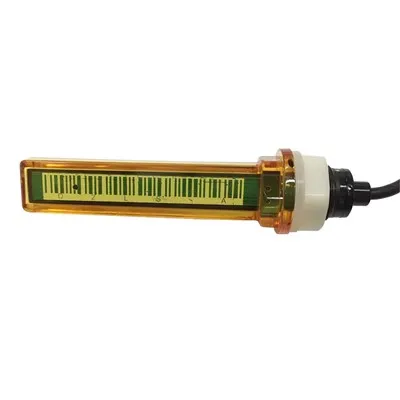
WiFi Propane Tank Monitor: The Complete 2026 Guide to Wireless Propane Level Monitoring
Curious about WiFi propane tank monitors? This guide covers everything you need to know-from how WiFi propane monitoring works, to the best monitors in 2026, Home Assistant integration, DIY ESPHome solutions, installation tips, alert setup, and exactly how to track your propane level from anywhere using your home WiFi network.
WiFi Propane Tank Monitor: Quick Answer
The short answer: A WiFi propane tank monitor is a wireless device that measures your propane tank's fill level and transmits the data over your home WiFi network to a smartphone app or Home Assistant dashboard. It lets you check your propane level from anywhere-no walking to the tank, no guessing. Popular options in 2026 include the SmartTank Pro WiFi ($120–180), Mopeka Pro Check with WiFi bridge, and DIY ESPHome solutions ($30–75).
Why it matters: The average homeowner spends $150–400 per year on propane and loses sleep worrying about running out during a cold snap. WiFi propane monitoring eliminates that anxiety. Check your level in seconds from your phone, receive automatic alerts before you run low, and save $50–150 per year by timing refills instead of paying for emergency delivery.
What Is a WiFi Propane Tank Monitor?
The Device That Ends Propane Guessing
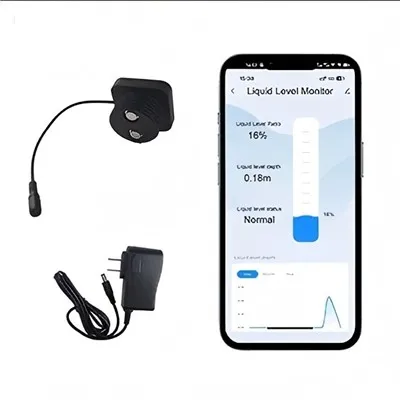
A WiFi propane tank monitor is a smart device that combines a level sensor (typically ultrasonic) with a WiFi transmitter to give you real-time propane tank readings through your home internet connection.
What it does:
Measures the propane liquid level inside your tank
Converts the measurement to a percentage (0–100%) and estimated gallons
Sends the data over your home WiFi to a cloud server or local Home Assistant
Displays readings on a smartphone app or web dashboard
Sends push notifications when propane drops below your set thresholds
What it doesn't do:
It doesn't automatically order propane (you still schedule delivery)
It doesn't work without WiFi (requires your home network)
It doesn't replace the need for an annual tank inspection
WiFi vs. Bluetooth vs. Cellular: Which Is Right for You?
| Feature | WiFi Monitor | Bluetooth Monitor | Cellular Monitor |
|---|---|---|---|
| Range | Unlimited within WiFi range | 30–50 feet | Unlimited anywhere |
| Smartphone access | Yes, from anywhere | Only near tank | Yes, from anywhere |
| Monthly fee | $0 | $0 | $0 (2026 models) |
| Home Assistant | Native support | Limited | Limited |
| Best for | Home tanks | Checking at tank | RVs, remote tanks |
| Setup | Moderate | Easy | Easy |
| Reliability | Depends on WiFi | Very reliable | Very reliable |
WiFi is the best choice for stationary home propane tanks where you want remote monitoring without monthly fees.
How Does WiFi Propane Tank Monitoring Work?
The Technology Behind the Tank
The signal chain:
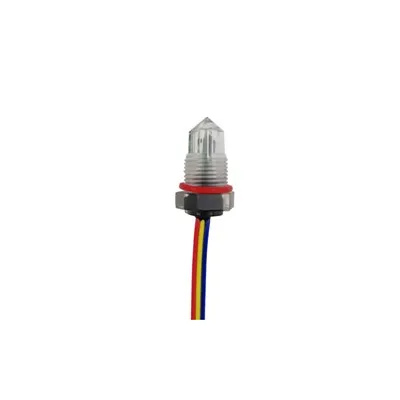
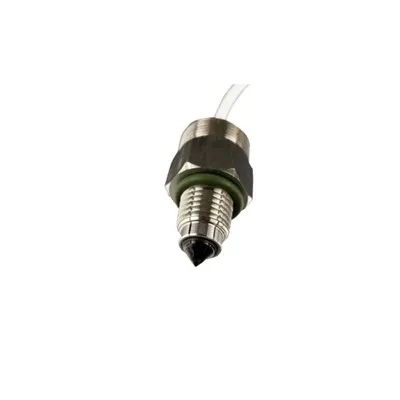
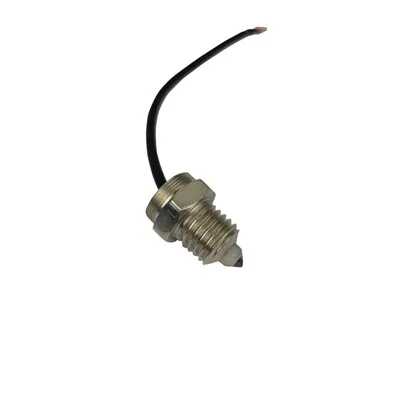
Ultrasonic sensor mounted at the tank bottom emits sound waves
Sound reflects off the liquid propane surface and returns to the sensor
Travel time is measured and converted to distance (level)
Microcontroller (ESP32 or commercial chip) calculates fill percentage
WiFi module transmits data to your home router
Home Assistant / cloud server receives and processes the data
Smartphone app or dashboard displays the current level
Push notifications fire when level drops below your threshold
Why ultrasonic is the industry standard:
Non-invasive (no contact with propane needed)
Highly accurate (95–98% in ideal conditions)
No moving parts to wear out
Works with any propane tank type
Proven technology with decades of use
Best WiFi Propane Tank Monitors in 2026
Top Commercial Options Compared
| Product | Price | Accuracy | WiFi Type | Home Assistant | Special Features |
|---|---|---|---|---|---|
| SmartTank Pro WiFi | $120–180 | 93–96% | 2.4 GHz | Native MQTT | Local data only, no cloud |
| Inovonics FHEM | $150–200 | 95–97% | 2.4 GHz | ESPHome compatible | Commercial-grade reliability |
| APRVPro WiFi Gauge | $60–100 | 88–92% | 2.4 GHz | Custom API | Budget option |
| Mopeka Pro + WiFi Bridge | $65–80 + $30 | 95–98% | Bluetooth + bridge | Via bridge | Best accuracy for price |
SmartTank Pro WiFi - Best Overall Commercial Choice ⭐
The best balance of price, accuracy, Home Assistant compatibility, and data privacy.
Specifications:
Accuracy: 93–96%
Connectivity: 2.4 GHz WiFi
Power: AC adapter (battery backup optional)
Installation: Threads into standard 1.5" NPT monitoring port
Data: Local MQTT (no cloud dependency)
Home Assistant: Native MQTT integration
Price: $120–180
Monthly fee: $0
Standout features:
✅ No cloud dependency-all data stays on your network
✅ Native Home Assistant MQTT integration (no custom coding)
✅ Temperature-compensated readings
✅ Custom alert thresholds per tank
✅ Multi-tank support in one app
✅ Excellent ESPHome community support
Ideal for: Homeowners who want a commercial-grade product with full local control and Home Assistant integration.
DIY ESPHome WiFi Monitor - Best Value ⭐
Build your own for $30–75 with full Home Assistant integration.
Why build it yourself:
Total cost: $30–75 (vs. $120–200 commercial)
Complete customization for any tank type
All data stays local-no cloud, no subscriptions
Learn valuable IoT and Home Assistant skills
Join the massive ESPHome community
Components needed:
| Component | Cost | Purpose |
|---|---|---|
| ESP32 DevKit | $5–10 | WiFi-enabled microcontroller |
| HC-SR04 Ultrasonic Sensor | $3–8 | Measures tank level |
| JSN-SR04T Waterproof Sensor | $8–15 | Better for outdoor use |
| 3.3V Logic Level Shifter | $2–5 | Protects ESP32 from 5V sensor |
| 12V to 5V DC Converter | $3–5 | Powers ESP32 from external supply |
| Waterproof Enclosure (IP65+) | $5–15 | Outdoor-rated housing |
| 12V Power Supply | $5–10 | Stable outdoor power |
| Total | $31–68 | |
| Optional: 3D-printed tank mount | $0–5 | Custom mounting solution |
ESPHome Configuration Code (Ready to Use)
Complete ESPHome YAML for WiFi propane monitoring:
yaml复制
esphome: name: propane-tank-monitor platform: ESP32 board: esp32dev wifi: ssid: "YOUR_WIFI_SSID" password: "YOUR_WIFI_PASSWORD" manual_ip: static_ip: 192.168.1.101 gateway: 192.168.1.1 subnet: 255.255.255.0 ap: ssid: "Propane Fallback Hotspot" password: "fallback1234" api: password: "homeassistant_api_password" ota: password: "ota_update_password" logger: sensor: # Ultrasonic distance measurement - platform: ultrasonic trigger_pin: GPIO5 echo_pin: GPIO18 name: "Propane Tank Distance" unit_of_measurement: "cm" accuracy_decimals: 2 update_interval: 60s filters: - lambda: |- // Convert raw measurement to distance // Calibrate: measure distance when tank is known full and empty return x * 100.0; // meters to cm # WiFi signal strength - platform: wifi_signal name: "Propane Monitor WiFi Signal" update_interval: 120s # Calculated fill percentage - platform: template name: "Propane Tank Level" unit_of_measurement: "%" accuracy_decimals: 1 lambda: |- // Calibration values for a 500-gallon horizontal tank: // Distance when 100% full (80% propane): 8.5 cm // Distance when 0% full: 55.0 cm // Adjust these values for your specific tank float dist = id(propane_tank_distance).state; if (dist > 54.0) return 0.0; if (dist < 8.5) return 100.0; return (54.0 - dist) / (54.0 - 8.5) * 100.0; update_interval: 60s # Estimated gallons remaining - platform: template name: "Propane Gallons Remaining" unit_of_measurement: "gal" accuracy_decimals: 0 lambda: |- float level_pct = id(propane_tank_level).state; return level_pct / 100.0 * 500.0; // 500-gallon tank update_interval: 60s # Estimated days remaining (based on recent usage) - platform: template name: "Propane Days Remaining" unit_of_measurement: "days" accuracy_decimals: 1 lambda: |- // Conservative estimate: assume 2 gal/day winter usage float gallons = id(propane_gallons_remaining).state; return gallons / 2.0; update_interval: 300s
Installation Guide: Setting Up Your WiFi Propane Monitor
Step-by-Step Installation
Time: 60–90 minutes
Tools: Wrench, Teflon tape, wire connectors, drill (for cable entry)
Step 1: Find the Monitoring Port on Your Tank
Most propane tanks have a 1.5" NPT threaded monitoring port:
Usually located at one end of the tank
May be labeled or near the fill valve
Not all tanks have one-check your tank documentation
If no port exists, contact a propane professional to install one
Step 2: Mount the Ultrasonic Sensor
Apply 3–5 wraps of Teflon tape (clockwise) on sensor threads
Thread sensor into the monitoring port by hand
Tighten with a wrench-firm but not over-tightened
Apply leak test solution around the connection
Open the tank valve and check for bubbles (indicates a leak)
If bubbles appear, tighten further or reseal with more Teflon tape
Step 3: Install the Electronics Enclosure
Mount the waterproof enclosure on a post, wall, or pole near the tank
Position for strong WiFi signal (within 100 feet of your router)
Route sensor cable through sealed cable glands
Wire sensor to ESP32 through the logic level shifter:
Sensor TRIG → ESP32 GPIO5 (via level shifter)
Sensor ECHO → ESP32 GPIO18 (via level shifter)
ESP32 3.3V and GND → level shifter
Level shifter HV → ESP32 5V (from DC converter)
Connect 12V power supply to DC converter, output to ESP32 Vin/GND
Seal all cable entries with silicone or cable glands
Step 4: Flash ESPHome and Connect to WiFi
Download ESPHome from esphome.io
Create a new device and paste the YAML configuration
Update WiFi credentials with your network name and password
Flash the firmware to the ESP32 via USB
Power on the device-it should connect to your WiFi within 30 seconds
Verify the device appears in ESPHome dashboard
Add the device to Home Assistant (Configuration > Integrations > ESPHome)
Step 5: Calibrate for Your Tank
Calibration is the most important step for accuracy:
After a propane delivery (tank should be ~80% full), record the sensor reading
When you know the tank is nearly empty (before refill), record the reading
Adjust the calibration lambda in ESPHome until readings match reality
Test over several weeks by comparing to your actual delivery records
Fine-tune until within 2–3% accuracy
Calibration formula:
text复制
Distance when full (80%): ___ cm ← Measure this at delivery Distance when empty: ___ cm ← Measure this when nearly empty Fill % = (Empty_distance - Current_distance) / (Empty_distance - Full_distance) × 100
Step 6: Set Up Alerts and Automations
Home Assistant automation example:
yaml复制
automation: - alias: "Propane Low - Schedule Refill" trigger: platform: numeric_state entity_id: sensor.propane_tank_level below: 25 action: - service: notify.mobile_app_your_phone data: title: "🔴 Propane Low - 25%" message: > Your propane tank is at {{ states('sensor.propane_tank_level') }}%. Gallons remaining: {{ states('sensor.propane_gallons_remaining') }}. Estimated {{ states('sensor.propane_days_remaining') }} days remaining. Schedule a refill now. - alias: "Propane Critical - Refill Now" trigger: platform: numeric_state entity_id: sensor.propane_tank_level below: 15 action: - service: notify.all_phones data: title: "⚠️ PROPANE CRITICAL" message: "URGENT: Propane at {{ states('sensor.propane_tank_level') }}%! Refill immediately!" - alias: "Weekly Propane Report - Monday Morning" trigger: platform: time at: "08:00:00" condition: condition: time weekday: - mon action: - service: notify.mobile_app_your_phone data: title: "📊 Monday Propane Report" message: > Propane level: {{ states('sensor.propane_tank_level') }}% Gallons: {{ states('sensor.propane_gallons_remaining') }} Days remaining (at 2 gal/day): {{ states('sensor.propane_days_remaining') }}
WiFi Propane Monitoring for Home Assistant
The Complete Smart Home Integration
Why Home Assistant + WiFi propane monitoring is the ultimate setup:
| Feature | Without Home Assistant | With Home Assistant |
|---|---|---|
| App access | Manufacturer's app only | Any browser or app |
| Data storage | Cloud (vendor-controlled) | Local (you own it) |
| Alert channels | App notifications only | App, SMS, email, voice |
| Dashboard | Basic vendor app | Fully custom dashboard |
| Automation | Simple timers | Any automation imaginable |
| Multi-tank | May cost extra | Unlimited tanks, free |
| Monthly fees | Possible | $0 always |
Home Assistant propane dashboard example:
Create a beautiful dashboard card showing:
Large tank level percentage with color coding (green/orange/red)
Gallons remaining
Estimated days remaining
Days-until-empty graph (7-day history)
Last updated timestamp
WiFi signal strength indicator
Frequently Asked Questions
Q1: How accurate is a WiFi propane tank monitor?
A: Most WiFi propane monitors achieve 93–98% accuracy, which translates to within 2–5% of actual fill level. The accuracy depends on:
Proper calibration for your specific tank dimensions
Temperature stability (outdoor temperature swings affect readings)
Installation quality (sensor must be properly positioned)
Sensor quality (HC-SR04 is good, JSN-SR04T is better for outdoor use)
Properly calibrated DIY ESPHome systems often match or exceed commercial products.
Q2: Does a WiFi propane monitor work for buried underground tanks?
A: Yes, WiFi monitoring works for buried tanks with a modified installation:
The ultrasonic sensor installs at the underground tank's monitoring port
The sensor cable runs from underground to an above-ground enclosure
The WiFi transmitter sits above ground with good signal
For tanks far from the house, a WiFi mesh node or outdoor access point extends coverage
Cellular monitoring (Mopeka Pro+ Cellular) is an alternative if WiFi coverage is unavailable
Q3: What happens if my home WiFi goes down?
A: The monitor temporarily loses connectivity, but your tank continues operating normally:
The ESP32 continues measuring propane level locally
No data transmits during the WiFi outage
When WiFi reconnects, the device automatically resumes transmission
You won't receive push notifications during the outage
No data is lost-it buffers and sends when connection is restored
Tip: Set up a WiFi signal strength sensor in ESPHome to alert you if the signal drops below a threshold.
Q4: Can I monitor multiple propane tanks with WiFi?
A: Yes-each tank needs its own monitoring unit:
DIY ESPHome: Each tank needs one ESP32 + sensor ($30–75 per tank)
Commercial: Some apps support multiple tanks (SmartTank Pro supports multiple tanks)
Home Assistant: Manage unlimited tanks on one dashboard, free
For homes with multiple tanks (main house + garage, main house + barn), DIY ESPHome is very cost-effective.
Q5: Do WiFi propane monitors have monthly fees?
A: No-most WiFi propane monitors have no monthly fees in 2026. The industry has moved toward one-time purchases with free local data:
SmartTank Pro WiFi: No monthly fee, local MQTT
DIY ESPHome: No monthly fee, all data local
Inovonics FHEM: No monthly fee
APRVPro: No monthly fee for basic app use
The only exception: some proprietary supplier monitoring systems (through your propane company) may have annual subscription fees.
Q6: How do I check my propane level when I'm away from home?
A: With WiFi monitoring and Home Assistant, you can check your propane level from anywhere:
Access your Home Assistant dashboard from any browser (homeassistant.com)
Use the Home Assistant smartphone app (iOS/Android) for push notifications
Access from work, vacation, or anywhere with internet
Receive automatic alerts when levels drop below your set threshold
How it works: Your Home Assistant server (running at home) connects to the internet. When you open the app or website from anywhere, it pulls data from your local server through a secure connection.
Q7: Can I integrate WiFi propane monitoring with Alexa or Google Home?
A: Yes, through Home Assistant's voice integrations:
Alexa: "Alexa, ask Home Assistant what is my propane level"
Google Assistant: "Hey Google, what's my propane tank level"
Morning briefing: Add propane level to your daily smart home briefing
Voice announcements: Announce "propane running low" during your evening routine
Setup: Enable the Home Assistant Alexa or Google Assistant integration, expose the propane sensor entity, and configure voice commands. Both platforms support this natively through Home Assistant.
Q8: How far can WiFi propane monitoring reach?
A: Standard 2.4 GHz WiFi reaches 100–150 feet indoors and 200–400 feet outdoors in open areas. For tanks farther from your router:
Install a WiFi mesh node near the tank location ($50–100)
Use a WiFi range extender or outdoor access point
Position your router or add a second router near the tank area
ESPHome devices support WiFi roaming for seamless handoff
Q9: Is DIY WiFi propane monitoring safe?
A: Yes, when installed following proper safety procedures:
Use propane-rated sensor cables and sealed connections
Only use existing monitoring ports-never drill into the tank
Pressure-test all connections with soap bubble solution
Keep all electrical components in weatherproof enclosures
Ground the system properly
Install a standalone propane gas detector as a safety backup
Consult a licensed propane technician if unsure about any step
The sensor itself is installed at the monitoring port and doesn't come into contact with propane-it only measures liquid level from inside the tank.
Q10: How much does WiFi propane monitoring cost overall?
A: WiFi propane monitoring costs $30–200 upfront and $0 ongoing:
| Solution | Upfront Cost | Annual Cost | Notes |
|---|---|---|---|
| DIY ESPHome | $30–75 | $0 | Best value, full control |
| SmartTank Pro WiFi | $120–180 | $0 | Commercial reliability |
| Inovonics FHEM | $150–200 | $0 | Commercial-grade |
| Supplier monitoring | $0–50 | $100–300 | Through propane company |
Return on investment: Preventing one emergency delivery ($100–200 premium) pays for a year of monitoring. Preventing air contamination from running empty ($100–300 repair) pays for the device in one incident.
Conclusion: WiFi Propane Tank Monitors in 2026
The case for WiFi propane monitoring:
✅ Check propane level from anywhere on your phone
✅ Automatic alerts before you run out ($50–150 saved per emergency fill)
✅ DIY ESPHome costs only $30–75 with no monthly fees
✅ Commercial WiFi monitors $120–200 with no monthly fees
✅ Works perfectly with Home Assistant for custom dashboards and automations
✅ Accurate to within 2–5% with proper calibration
✅ No more guessing, no more walks to the tank, no more running out
The recommended options:
| User Type | Best Choice | Cost |
|---|---|---|
| Home Assistant user | DIY ESP32 + ESPHome | $30–75 ⭐ |
| Non-technical homeowner | SmartTank Pro WiFi | $120–180 |
| Multiple tanks | DIY ESPHome (per tank) | $30–75 each |
| Want cellular option | Mopeka Pro+ Cellular | $199–249 |
The bottom line: A WiFi propane tank monitor is one of the highest-value smart home investments you can make. Whether you spend $30 building your own ESPHome system or $180 buying a SmartTank Pro, the ability to check your propane level from anywhere, receive automatic alerts, and never run out again is worth every penny. Five minutes of setup today saves $100–300 in emergency fills and prevents the inconvenience of running out of propane when you need it most.
Last updated: July 2026
Disclaimer: This guide provides general information about WiFi propane tank monitoring for educational purposes. Always follow manufacturer guidelines and propane safety regulations. DIY modifications to propane systems should be performed by licensed professionals. Consult a licensed propane technician for any work involving pressurized propane systems.